
Project Overview
AmorPDF is a web-based PDF utility platform built to compete in the online document tools space — a category dominated by established names but still highly accessible to niche players who offer a cleaner interface, better performance, or a more focused feature set. The platform offers more than 30 tools organized across four functional categories: Organize PDF (merge, split, organize, repair), Optimize and Edit (compress, edit, crop, protect), Convert From PDF (to Word, Excel, PowerPoint, JPG), and Convert To PDF (from Word, Excel, PowerPoint, JPG). An AI-powered Chat with PDF tool and a tiered subscription model with Free, Premium, and Business plans complete the offering.
Business Goals
The client’s objective was to build a fully functional SaaS-grade PDF tools platform on WordPress, combining the content management and user account flexibility of the CMS with a purpose-built PHP backend capable of handling actual PDF file processing on the server. This meant the project was never purely a WordPress build — it required designing and implementing an independent processing layer, then connecting it to the WordPress frontend through a custom API integration so that tool interactions from the browser could trigger real server-side PDF operations and return processed files to the user. Beyond the technical infrastructure, the platform needed a custom user dashboard for account management, a clean tools grid as the primary interface, a tiered pricing and access system, and a production-grade security and server configuration to handle live file uploads from anonymous users at scale.
Website Strategy
The platform’s information architecture was designed around two primary user states: unauthenticated visitors who can access basic tools immediately without registration, and authenticated users who unlock usage limits, advanced features, and premium capabilities through a subscription. This distinction shaped every structural decision — the navigation prominently surfaces the most in-demand tools (Merge PDF, Compress PDF, PDF to Word, Chat with PDF), while the Tools dropdown organizes the full catalog under logical category headers. The homepage communicates trust and simplicity before anything else, with a three-step “Upload, Process, Download” explanation immediately below the hero, because the central objection for a file-processing tool is always whether the process is actually fast, safe, and straightforward.
Design & Development Process
A fully custom WordPress theme — the AmorPDF theme — was developed from scratch rather than adapting an existing theme or page-builder template. This was a deliberate choice: a PDF tools platform has very different frontend requirements from a standard website. The tools grid, the upload interface within each tool page, the pricing table with its dynamic team member count and monthly/yearly toggle, and the user dashboard all required custom template logic that a general-purpose theme cannot provide without significant modification. Elementor was used selectively for static content pages, while the core tool pages and dashboard were built directly in the custom theme.
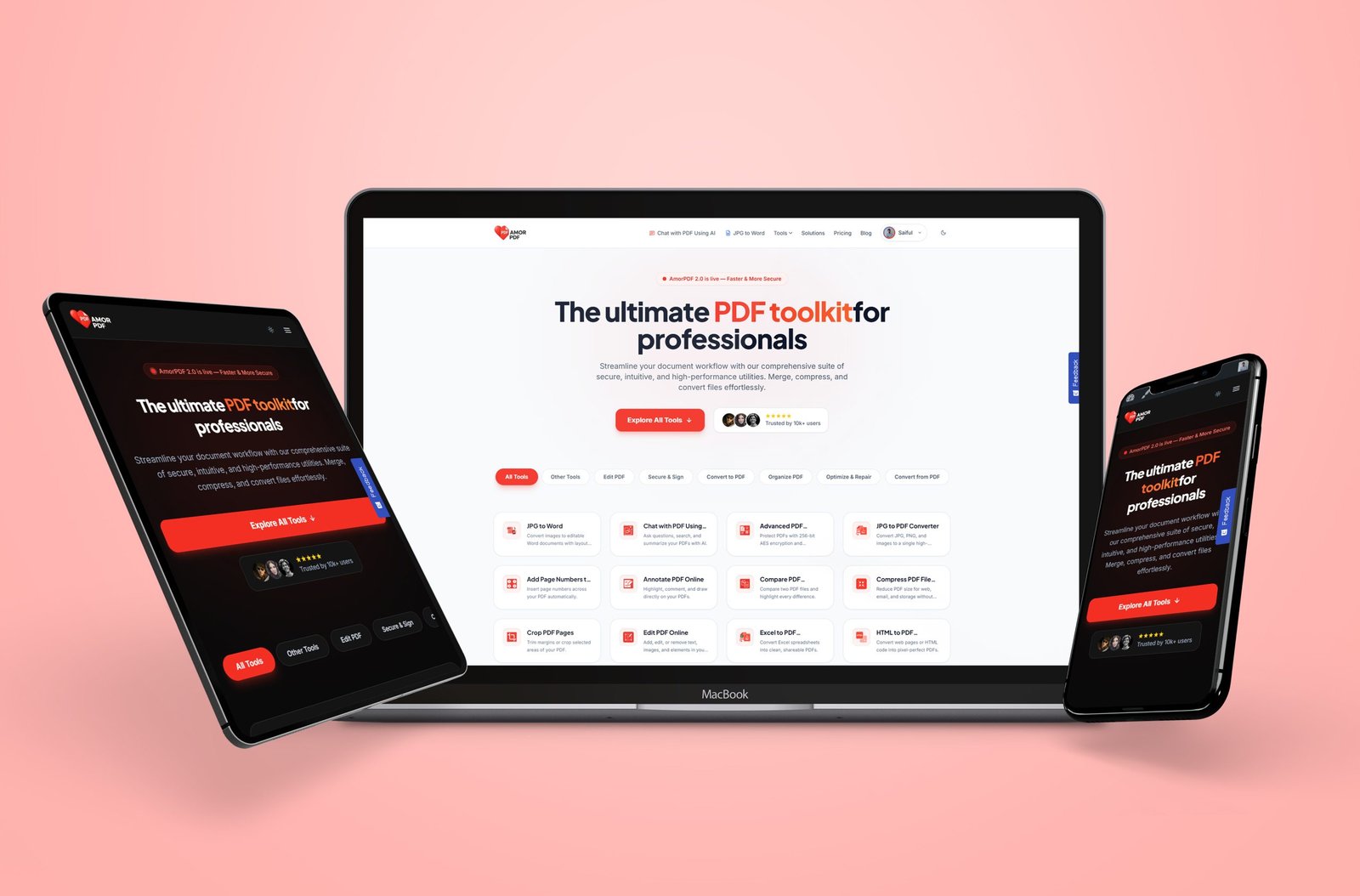
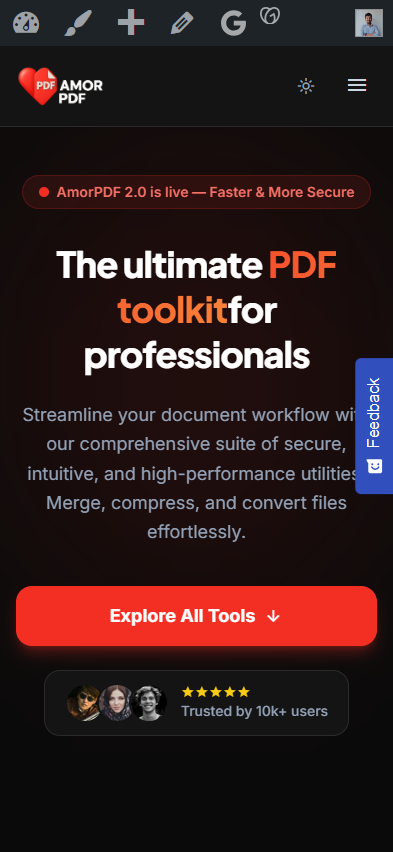
Dark mode support was implemented at the theme level, with a toggle accessible from the header across all pages — a feature that speaks directly to the platform’s professional user base, who spend extended time working with documents and prefer a low-glare interface.
The tools grid on the homepage was built as a dynamic, categorized display — filterable by tool type (All Tools, Edit PDF, Secure and Sign, Convert to PDF, Organize PDF, Optimize and Repair, Convert from PDF) — giving returning users a fast path to the specific tool they need rather than requiring them to scan a long static list.
Technical Implementation
The core technical challenge of this project was the gap between what WordPress natively does and what a PDF processing platform actually needs to do. WordPress manages content, users, and routing well. It does not process PDF files. The solution was a custom PHP backend deployed on the same VPS infrastructure, built specifically to handle the file operations — compression, format conversion, merging, splitting, repair, OCR, and editing — with a defined API layer connecting the two systems.
When a user uploads a file on a tool page in WordPress, the request is passed via the API to the PHP backend processing server. The backend executes the relevant PDF operation using server-side processing libraries, then returns the output file to WordPress, which delivers it to the user for download. Files are stored temporarily and automatically deleted within two hours of processing, which required server-side cron job configuration to enforce reliably.
A custom WordPress plugin — the AmorPDF plugin — was developed to manage this integration: handling tool page routing, upload validation, API request formation, response handling, daily usage limit enforcement per user tier, and the ad-unlock mechanism that allows free users to extend their daily allowance by watching a short advertisement. The plugin also manages the subscription tier logic, controlling access to premium tools, file size limits, OCR capability, and batch processing based on the authenticated user’s active plan.
User Experience Improvements
The custom user dashboard replaces WordPress’s default account interface with a purpose-built view showing active plan status, daily usage, processing history, and subscription management — everything a returning user needs without navigating to WooCommerce-style account pages that weren’t designed for a SaaS context. The pricing page uses a dynamic team member counter and monthly/yearly billing toggle that updates pricing display in real time, reducing confusion for business plan evaluators who need to calculate team costs before committing.
Performance Optimization
Running PDF processing operations on a separate backend rather than within WordPress itself was as much a performance decision as an architectural one. PHP-based PDF processing is CPU and memory intensive. Separating it from the WordPress application server ensures that a large file upload or compression job does not affect the response time of the frontend for other concurrent users. The VPS was configured to allocate appropriate resources to each layer independently, and upload handling was tuned to support files up to 2GB for premium users without timeout failures.
Mobile Optimization
The custom AmorPDF theme was built with a responsive layout as a foundation, not a retrofit. The tools grid reflows cleanly from a multi-column desktop layout to a single-column mobile view, and the upload interface within each tool page was tested across screen sizes to ensure drag-and-drop fallback behavior works correctly on touch devices where native drag-and-drop is unavailable.
Conversion Optimization
The platform’s conversion architecture follows a freemium model: full tool access with a daily usage cap on the free tier, with upgrade prompts surfaced at the point of limit contact rather than before first use. This allows a user to experience the quality of the output before being asked to pay — a meaningful advantage in a category where users are evaluating tool accuracy above everything else. The Business plan’s team management features, centralized file history, and API access target a separate B2B conversion path without disrupting the individual user experience.
Final Outcome
AmorPDF launched as a production-ready PDF SaaS platform capable of serving thousands of concurrent users across free and paid tiers, with a functioning API-connected processing backend, a custom plugin managing all tool and subscription logic, a purpose-built theme, and a hardened VPS and Sucuri firewall configuration protecting a platform that handles live file uploads from unregistered users continuously.
Conclusion
This WordPress PDF SaaS platform development demonstrates what becomes possible when WordPress is treated as the application layer of a larger system rather than a self-contained website. The custom plugin, the PHP backend API, the bespoke AmorPDF theme, and the VPS configuration all work together to deliver a platform that competes in a demanding online tools category — built on WordPress, but extending well beyond what WordPress does on its own.